
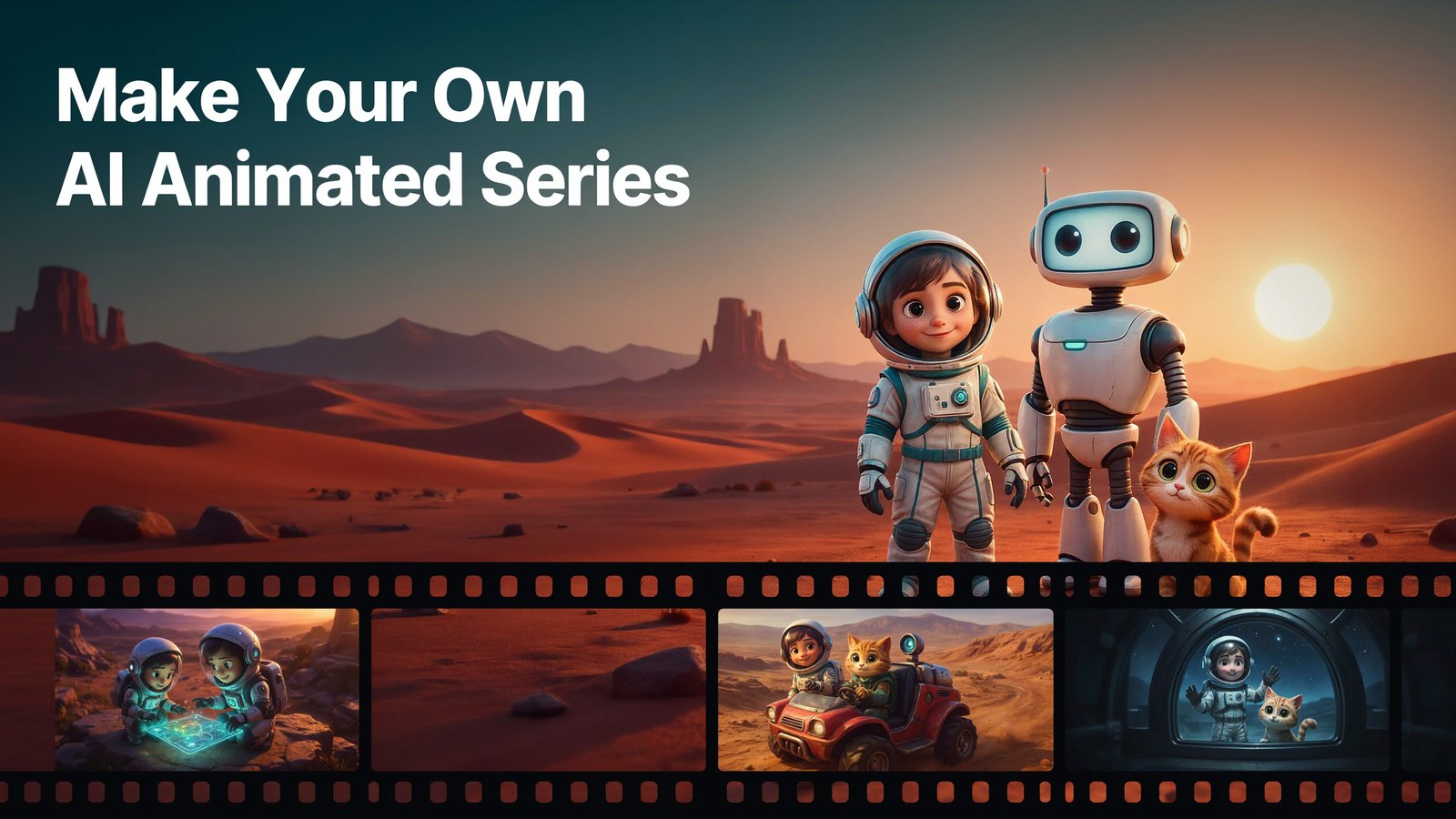
Making an animated show used to need a studio, a team of animators and a lot of money.
Now it needs an idea and a laptop.
AI video tools can turn a story into animated scenes in minutes. But making a series is a different challenge. Your characters have to look the same in episode one and episode twenty. Your world has to stay the same. And each episode has to feel like part of one show.
Here's exactly how to make an AI animated series, step by step, with Cinemation.
Why an Animated Series Is Worth Making
One-off videos come and go. A series builds an audience.
People come back. When viewers like your characters, they want to know what happens next. That's how channels grow subscribers.
It's easier to plan. Once you have the characters, the world and the format, each new episode is mostly a new story.
It works in almost any niche. Kids' stories, history, science, fitness, language lessons, product explainers, comedy. If it can be told as a story, it can be a series.
It builds a brand. A character people recognize can become the face of your channel, your business or your products.
The Big Problem With AI Animation
Most AI video tools make short clips. A few seconds each.
Ask for the same character twice and you often get two different faces. A different hairstyle. A different jacket. The background changes from shot to shot.
That's fine for a one-off clip. It breaks a series completely. Viewers notice straight away when the hero suddenly looks like someone else.
So the most important thing in an AI series is consistency. The same characters, the same locations, the same style, every single episode.
That's the problem Cinemation was built to solve.
What You Need Before You Start
- A show idea you can explain in one sentence.
- Two to four main characters with clear personalities.
- One or two main locations where most of the story happens.
- A visual style, like 3D animation, anime or 2D cartoon.
- An AI movie tool that keeps characters and locations consistent.
That's it. No drawing skills, no editing skills and no camera.
How to Make an AI Animated Series, Step by Step
Step 1. Pick a Show Idea and an Audience
Start with who's watching.
Kids aged 4 to 7 want bright colors, simple lessons and funny characters. Teenagers might want mystery or sci-fi. Adults learning a skill want clear explanations wrapped in a story.
Then write your show in one sentence. For example, "A curious girl astronaut and her robot friend explore Mars and explain one science fact per episode."
If you can't say it in one sentence, simplify it.
Step 2. Write a Simple Series Bible
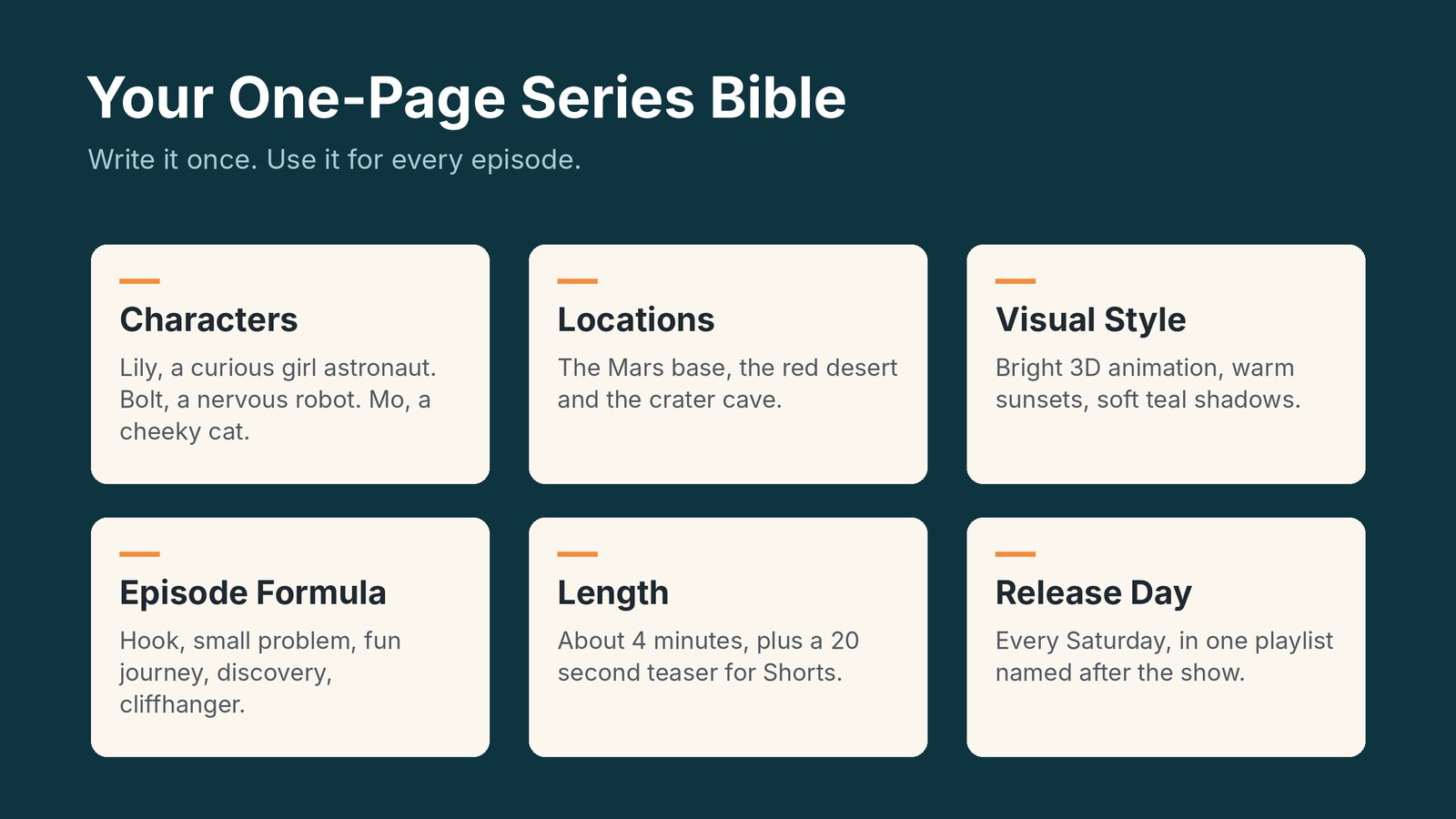
Every TV show has a "bible". It's just a short document that keeps the show consistent.
Yours can fit on one page. Write down the following.
- Characters. Name, age, look, personality and how they talk.
- Locations. The main places your story happens.
- Visual style. 3D animation, anime, claymation or 2D cartoon.
- Episode formula. How every episode starts, what happens in the middle and how it ends.
- Length. Two minutes for Shorts, five to ten for YouTube.
You'll use this for every single episode.
Step 3. Create Your Characters Once
Open Cinemation and create your main characters from your bible.
Describe each one clearly. Their age, face, hair, clothes and personality. Cinemation saves them in a reusable character bank, so you can drop the same character into any scene or episode with a click.
This is the step that makes a series possible. Your astronaut girl will have the same face, the same suit and the same personality in episode one and episode fifty.
Cinemation works in any style. Live action, 3D animation, anime, Pixar-style, claymation or 2D cartoons. Pick one and stick to it for the whole series.
Step 4. Build Your Locations
Next, create the places your story lives.
The Mars base. The red desert. The crater cave. Cinemation keeps locations consistent too, so the base doesn't change shape between scenes.
Save them in your locations bank. Most episodes will reuse the same two or three places, just like real TV shows do.
Step 5. Write the Episode Script, or Let AI Write It
You have two options.
Write it yourself if you already have a story in mind. Keep scenes short and give each character clear lines.
Let AI help. Feed Cinemation your concept, like "Episode 3, Lily discovers ice under the Mars surface and Bolt the robot is scared of the cold", and it prepares the script and the video plan for you.
Either way, follow your episode formula. Hook in the first 10 seconds. A small problem. A fun middle. A clear ending with the lesson or the laugh.
Step 6. Generate the Episode
Now the magic part.
Cinemation plans the shots and builds the whole episode on autopilot. Its Shot-Stitch technology continues the action from shot to shot with consistent camera placement, so the episode flows like a real show instead of a pile of random clips.
Characters speak and act. They talk, react and show emotion. You can also make narrator-style episodes, where a voice tells the story while the visuals play, even in your own voice.
There's no fixed limit on length. Make a two minute short or a long episode.
Step 7. Review and Fine-Tune
Watch the episode from start to finish.
Something not quite right? Change it with simple instructions. Cinemation lets you adjust scenes, dialog, appearances, actions and emotions without starting over.
Check three things before you publish. Do the characters look like themselves? Is the story clear? Is the opening strong enough to stop someone scrolling?
Step 8. Export for Each Platform
Make landscape episodes for YouTube and Facebook. Make vertical versions for TikTok, Reels and Shorts.
Cinemation supports both, so one episode can feed several platforms. A long episode can also be cut into short teaser clips to bring people to the full version.
Step 9. Publish on a Schedule

A series lives or dies on consistency.
Pick a release day and stick to it. Once a week is a great start. Put every episode in a playlist named after the show, in order. Use the same thumbnail style and title format, like "Mission to Mars, Episode 4, The Ice Cave".
Viewers should be able to spot your show in a feed instantly.
Step 10. Learn From Every Episode
After a few episodes, look at your numbers.
Which episodes kept people watching the longest? Which characters do people mention in the comments? Which topics got the most views?
Give people more of what they love. Maybe the cat sidekick deserves her own spin-off. That's how real shows grow.
A Sample Episode, Scene by Scene
Let's plan one real episode so you can see how simple it gets.
Show. Mission to Mars. Episode 3. The Ice Cave. Length. About four minutes.
- The hook, 10 seconds. Bolt the robot's sensors start beeping. Lily whispers, "Something is under the ground."
- The setup, 40 seconds. Back at the Mars base, Lily explains that water on Mars is mostly frozen. Mo the cat knocks a map off the table, and it lands on a spot marked with a question mark.
- The journey, 90 seconds. They drive across the red desert to the crater. Bolt is nervous about the cold and keeps checking his battery. Small jokes keep it light.
- The discovery, 60 seconds. Inside the cave they find a wall of blue ice. Lily explains, in one simple line, why finding ice matters for future astronauts.
- The ending, 20 seconds. Bolt finally laughs, slips on the ice and lands on his back. Lily turns to the camera and asks viewers to guess what they'll find next week.
Notice what stayed the same. The three characters, the base, the desert and the episode formula. Only the story is new.
That's why a good series gets faster to make with every episode. Most of the work is already saved in your character and location banks.
How to Grow an Audience for Your Series
A great show still needs people to find it.
Post short teasers. Cut a 20 second moment from each episode for Shorts, Reels and TikTok, and point people to the full episode.
Name episodes clearly. Use the show name, the episode number and a simple title that says what happens.
Make a series trailer. A one minute trailer at the top of your channel tells new visitors what the show is about.
Talk to your viewers. Ask them to vote on what happens next or which character gets the next episode. People love feeling part of the story.
Stay on schedule. Missing weeks loses momentum. Make two or three episodes ahead so you always have one ready.
Ideas for Your First AI Animated Series
- Kids' learning show. A friendly character teaches one lesson per episode.
- History stories. Bring famous events to life with a time-travelling narrator.
- Science adventures. Explore space, oceans or the human body.
- Language lessons. Characters act out real conversations.
- Fitness series. A coach character leads a short workout each episode.
- Brand mascot show. Your product's character solves customer problems in fun stories.
- Mystery or sci-fi drama. A story that continues from one episode to the next.
Tips to Make Your Series Feel Professional
- Keep a fixed intro. A short, recognizable opening of 3 to 5 seconds.
- Use catchphrases. A line your character says every episode.
- Keep episodes a similar length so viewers know what to expect.
- End with a hook for the next episode.
- Don't change the style mid-series. Consistency is the whole point.
How Much Does Cinemation Cost?
Cinemation costs $5.58 a month, paid yearly ($67 a year), or $17 month to month.
The Elite plan includes 10,000 welcome credits, up to 3 videos a day, up to 10 reusable characters and up to 15 locations. It's a desktop app for Windows and Mac, with a 30 day refund guarantee.
Compare that with hiring an animator. Even a short animated video can cost hundreds of dollars per minute. A year of Cinemation costs less than one minute of hired animation.
Want to see how it compares with other tools? Read our list of the best AI video generators for consistent characters.
Frequently Asked Questions
Can AI really make an animated series?
Yes. The key is a tool that keeps characters and locations consistent across episodes. Cinemation was built for exactly that.
Do I need animation or editing skills?
No. You describe your characters, places and story. Cinemation plans the shots and builds the episode for you.
How long can each episode be?
Cinemation sets no fixed limit. You can make two minute shorts or full-length episodes.
Can I monetize an AI animated series on YouTube?
Yes, as long as it's original and adds value. YouTube asks creators to label realistic AI content, so check the current rules when you upload. Original characters and real stories are your best bet.
What style works best for kids?
Bright 3D animation or 2D cartoons with simple shapes and friendly faces. Keep episodes short and the lessons clear.
How much does it cost to make an AI animated series?
Far less than traditional animation. With Cinemation, a full year costs $67, and the Elite plan lets you create up to 3 videos a day. Your main cost is your time to plan the stories.
How many episodes should I make before launching?
Three is a good number. Launch with episode one and keep two ready, so you never miss a release day in the early weeks.
Final Thoughts
You don't need a studio to make a show anymore.
Pick an idea. Write a one-page bible. Create your characters and locations once. Then make an episode every week and let your audience grow with your characters.
If you want characters that stay the same from the first episode to the last, try Cinemation for just $5.58 a month, paid yearly.